Posts

Showing posts with the label Windows

Windows 10 Spotlight Lock Screen Images for Desktop - Lock screen Extractor

Image
This small software extract the windows 10 Lock screen image in the desktop, but You have to run this software every day to get new wallpaper in the lock screen  or you can get this wallpaper by manual method. First Method : Manual In the Folder Options window that appears, select the View tab and then, in the “ Advanced Settings ” list, click the button labeled Show hidden files, folders, and drives. Click Apply to save the change and then OK to close the Folder Options window. Now, in File Explorer navigate to  This PC > C: > Users > [Your User Name] > AppData > Local > Packages > Microsoft.Windows.ContentDeliveryManager_cw5n1h2txyewy > LocalState > Assets. The files are actually just JPEG images with unique file names, so grab one or two of the files with the larger file sizes (typically greater than 400KB) and copy it to your desktop or another folder on your PC. Next, highlight the file and press F2 on your key...

Windows 10 Black Theme For Night Mode

Image
Download Theme:  http://www.mediafire.com/file/g2t4dazj66tp2bz/Black_Theme_for_Night_Mode.deskthemepack

Boot Hiren’s Boot CD From USB by Using RUFUS

Image
In order to create a bootable USB drive for Hiren’s Boot CD you will need to download the following 3 things: Hiren’s Boot CD (The download link for the latest ISO version is at the bottom of the linked page) Rufus (Bootable USB creator) – This will direct you to the official Rufus download page A USB stick (Minimum requirement is 1GB for the latest version of Hiren’s) Firstly make sure that the USB stick that you are going to put Hiren’s on is blank, as these steps involve formatting your USB. Once you are sure that the stick is OK to use follow the steps below: Step 1 Right-click on the Rufus program that you have downloaded and select Run as administrator. If you are running Windows XP, just double-click on the program to open it. Before the window opens it may ask you to see if there is an update available. I elected not to check for an update as I know that the version I have works for me, but the choice is up to you. You will also be asked if it is OK for the prog...

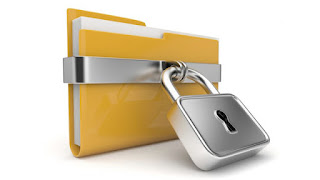
Lock your Any folder Without Any Software

Image
1. create a folder in any directory (like c: d: E: f: )and put any files in that ...to lock (my folder name is " lockmyfiles") 2. then go to cmd prompt . shortcut key windows+R . 3. type which dir your files like this .... i have in ( d directory ) sao that 4. d: press enter 5. then type this " cacls foldername /E /P Everyone:N"( without quotes) like this - D:/>cacls lockmyfiles /E /P Everyone:N processed dir: D:\lockmyfiles sucess... 6.To unlock use this same Cmd .... 7.Like this D:/>cacls lockmyfiles /E /P Everyone:F 8. Enjoy This tricks...

Remove copy shortcut virus in pendrive

Image
TRY THIS FRIENDS " remove copy shortcut virus in pendrive ? " Step1:Goto start Step2:Type run then type this in Run box "cmd" (without quote) step3:type in that prompt " cd/ " step 4:goto respective dirctory drive by using cmd like "i:" (ex: i:"or" j:where your pendrive is inserted goto the drive symbol )(without qoute) step5:type "dir"(without qoute) step6:you will see all shortcut in your foldernames then remeber your folder in that step7:type attrib -a -r -s -h "yourfoldername" /s /d (without quote) or attrib -a -r -s -h /s /d step8:goto your pendrive you will get your original file

Windows 10 Immersive Explorer For Windows 7 and 8

Image
I mmersive Explorer is an alternative to the default file explorer included in Windows (known as Windows Explorer). It is designed to provide an "immersive" experience to the user by focusing on the content rather than hiding it behind icons and large window chrome and borders. It allows the user to avoid opening different applications and switching between multiple windows when doing tasks as simple as viewing a picture, thanks to the built-in viewer. Although it is not a Windows 8 "Metro application", Immersive Explorer is designed around the "Metro" user interface guidelines. It is optimized for tablets and computers with touch-screens, but it also offers a great experience for mouse/keyboard users (with features like scroll-to-zoom, keyboard navigation). Immersive Explorer is based on Win32/.NET/WPF (Windows Presentation Foundation). It uses graphical hardware acceleration to display fluid animations and transitions, making it look more modern ...

Turn your smartphone into a remote control for your torrent client

Image
The BitTorrent protocol isn't just for pirates, it's also a great way to legally download indie documentaries, music, and open source software such as Linux distributions or the Tor Browser. The problem with torrents is that you may across something you'd like to download while browsing on your smartphone or tablet. But how are you going to remember to download that torrent once you're back at your PC? Remote apps for Android to the rescue. Many major torrent clients offer remote apps on mobile that let you add downloads to an active PC while you're in the other room or sitting in the back of a taxi downtown. For our purposes today, I'm going to show you how to use BitTorrent Remote from BitTorrent Inc., but you would follow a similar path for other clients including uTorrent (also owned by BitTorrent) and Vuze . Getting started The first thing we need to do is get your PC ready to accept a remote connection. Download and open the BitTorrent ...